NitroPad T480 Review: Coreboot, Heads, and a Nitrokey as Trust Anchor
A first look at the NitroPad T480: Coreboot, Heads measured boot, a disabled Intel ME, and what a review unit without a tamper seal can and can't demonstrate.
Nitrokey lent me this NitroPad T480 free of charge for four weeks; it goes back afterwards. The unit shipped without a tamper seal, and with the Nitrokey in the same parcel. Both matter later in this review. Nitrokey had no editorial input.
What it is
The NitroPad is a refurbished ThinkPad running Coreboot, the Heads firmware, and an Intel Management Engine that Nitrokey says is disabled. The point is tamper detection: insert a separate Nitrokey USB key at boot and it checks whether the firmware and /boot have changed since you last signed them. It’s aimed at people for whom an evil-maid attack is a real concern, and Nitrokey markets it specifically to investigative journalists.
One detail of my review unit matters later: it arrived without the optional tamper seal. Why that’s relevant is in the trust-chain section below.
The configuration
- ThinkPad T480, Intel Core i5-8350U (4 cores / 8 threads, 8th gen)
- 32 GB DDR4
- 500 GB WD_BLACK SN7100 NVMe
- Intel Wi-Fi 5 (802.11ac) + Bluetooth 4.2
- English QWERTY ISO, backlit, webcam + microphone
- Qubes OS 4.3 from the factory (I later reinstalled 4.3.1)
- Nitrokey 3A (No NFC) as the trust anchor
- Single parcel, no sealing
The T480 is Nitrokey’s entry-level line, refurbished ThinkPad hardware that succeeds the older X230 and T430. This is 2018 hardware. You buy a NitroPad for the security model, not for the performance.
One detail for those who care: the Wi-Fi card is an Intel 8265 (iwlwifi), the stock card, not one with free firmware. On a device whose whole argument is open, auditable firmware (Coreboot, a neutralised ME), the Wi-Fi firmware stays a proprietary, closed-source component. It is optional in the configurator, though: for €19 extra Nitrokey offers a blob-free card (Qualcomm Atheros QCNFA222), which only does Wi-Fi 4 (802.11 a/b/g/n), and a faster Intel AX-210/211 with Wi-Fi 6E. So you can drop the proprietary firmware if you want, at the cost of older wireless. I kept the stock card.
As for price: this configuration (i5-8350U, 32 GB RAM, 500 GB WD_BLACK SN7100, Nitrokey 3A No NFC) cost €1,086.01 including shipping. Officially the device is refurbished, with possible scratches, pressure marks on the display, and small cracks in the casing; the battery holds at least 70% of its original capacity, with a one-year warranty.
Unboxing
The packaging is unusually well made. Instead of foam, the device sits in a tensioned membrane between two cardboard frames that you reassemble in reverse order, so the same packaging can be reused for a return. It feels more considered than what most devices in this price range ship in.
The condition of the ThinkPad surprised me. Nitrokey only promises “refurbished” with possible signs of use, and my unit was practically flawless and looked new. That’s a single data point. Another unit could have scratches, which is what the condition description leaves room for.
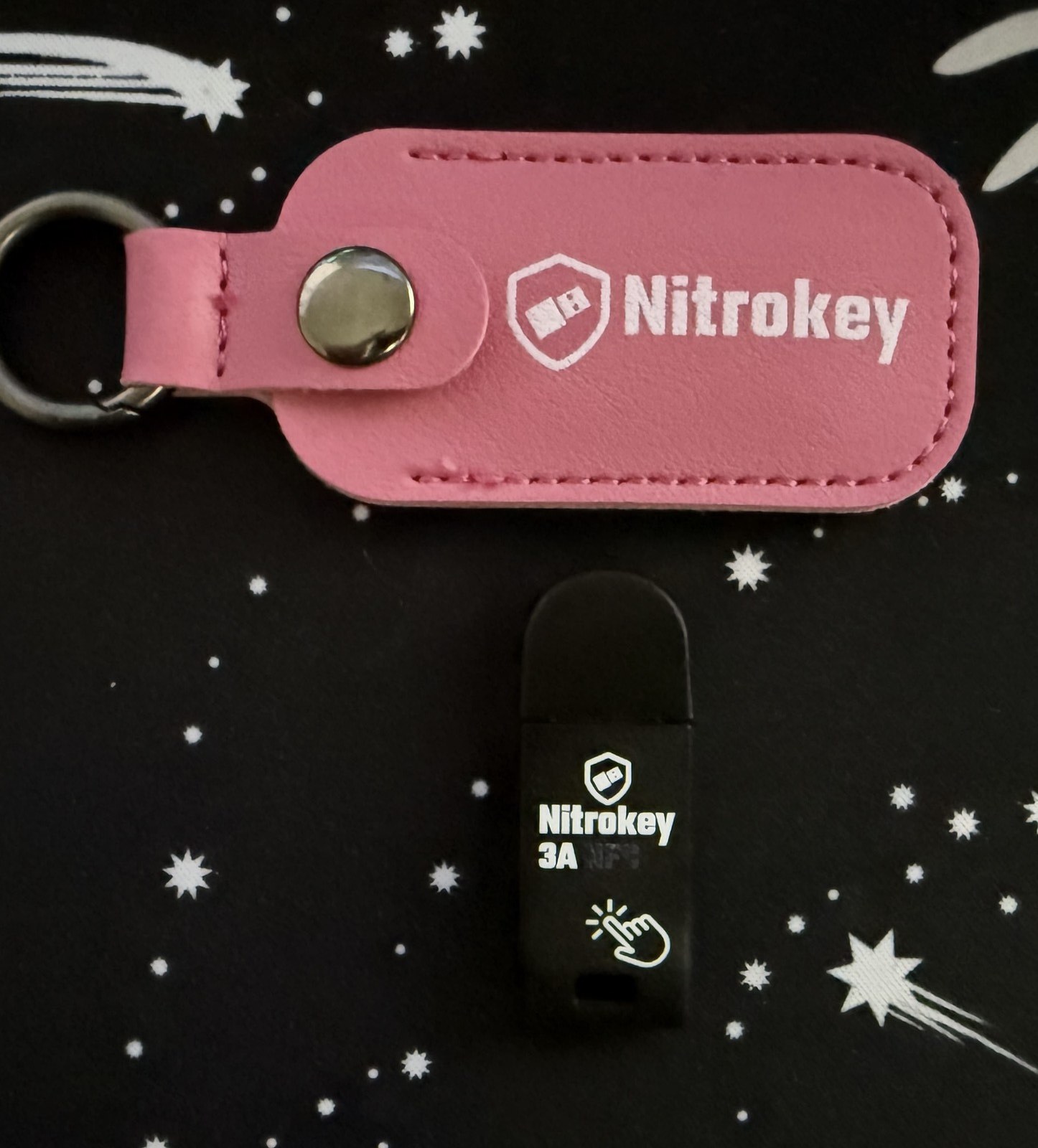
The Nitrokey 3A is part of the package, shown here with the included leather pouch. It’s the key the NitroPad uses to check its integrity at boot, provided you insert it.
The trust chain: what this configuration can and can’t show
The sealed casing and sealed bag are how you spot access during transit. They’re the physical half of the protection. The digital half, measured boot, does little if someone can open the case unnoticed, plant an implant, and close it again.
On the T480, both are paid options. Sealed screws plus a sealed bag cost €100 extra; separate shipment of the Nitrokey (which Nitrokey calls “Security Conscious Shipping”) another €20. The point of shipping the key separately is that an attacker intercepting one parcel doesn’t get both the laptop and the key needed to re-sign a tampered firmware. So the base configuration doesn’t include arrival verification. I checked both prices in the configurator, as of July 2026.
For many buyers that’s fine. But anyone buying the device for exactly this threat model should order the options. With them, the check on arrival is possible. Without them, measured boot only shows that nothing has changed since the first signing; it says nothing about the initial state.
My review unit didn’t have these options. So I can’t demonstrate that step here, not because the device can’t do it, but because the verification feature simply wasn’t part of this order. Nitrokey points out that you can still verify the NitroPad wasn’t accessed in transit by plugging in the Nitrokey at first boot and checking the result. I didn’t pay close attention to that step during my own first boot, so I can’t speak to it firsthand, but I have no reason to doubt it.
The actual check runs through the Nitrokey afterwards: insert it while booting and a green LED signals an untampered system, a red LED a change.
Intel ME: disabled, per the vendor
Besides measured boot, the disabled Intel Management Engine is the second building block. The ME is a co-processor inside modern Intel CPUs with broad access to the system, memory, and network, and it has repeatedly been hit by security flaws. Nitrokey states it has been disabled on the T480.
“Disabled” doesn’t mean “removed” on Intel generations from Nehalem onward. The ME firmware can’t be fully erased from the flash: without valid firmware, the machine force-shuts-down after 30 minutes. Rather than erase it, the ME is therefore neutralised via the HAP bit in the flash descriptor, which stops it early. The firmware stays present but no longer runs.
You could verify this with intelmetool from the Coreboot repo, running from a live Linux with the kernel parameter iomem=relaxed; a clean HAP state shows up as something like ME: Current Working State : Platform Disable Wait. I skipped that for this review. The deactivation is documented and independently verified, and I had no reason to doubt it. Anyone who wants to see it for themselves can use that tool.
Re-ownership: making the device mine
Before using the NitroPad seriously, I reinstalled Qubes myself. Not out of distrust toward Nitrokey, but to walk the whole path once: reinstall, Heads signing, re-ownership. It’s the procedure anyone installing their own OS needs anyway, and it happens to answer the trust question from the section above. If you install yourself and generate new keys, the LUKS container and the GPG key are under your control from the start.
I installed Qubes OS 4.3.1, the current version. During re-ownership I set new PINs on the Nitrokey and generated new GPG keys. After the reinstall, Heads asks at first boot to confirm the changed /boot files and re-signs them with the Nitrokey. That ran without issues too. Nitrokey’s documentation walks through the process step by step, and that’s why it went smoothly. The Nitrokey forums have the occasional report of reinstall and reset snagging at this point; on this device it didn’t happen.
What’s still open
This is a first impression, not a long-term test. What makes a NitroPad in daily use is decided over weeks, and separate articles will cover that:
- Qubes 4.3 as a daily driver. How many qubes run in parallel before 32 GB gets tight, how long a boot takes including Heads verification, what the refurbished battery holds, and what breaks. I measured a week of it: A Week with Qubes OS on the NitroPad T480.
- Heads day to day. Every kernel update means re-signing with the Nitrokey. How often, how disruptive, and what happens in the failure cases (key forgotten, PIN lockout, a legitimate update that looks like tampering).
Verdict
After setup and re-ownership: from a security standpoint I recommend the NitroPad clearly. The combination of Coreboot, Heads, a disabled Intel ME, and a Nitrokey as trust anchor is verifiable rather than merely claimed, and for me the whole chain from reinstall to signing ran without a hitch. Anyone with the threat model the device is built for gets something few off-the-shelf laptops offer: hardware you can verify wasn’t tampered with, protection against access in a hotel, in luggage, or at a border crossing. For the full protection, order the sealing options.
The caveat stands: this is 2018 hardware, and the security costs convenience. The Nitrokey isn’t the thing that unlocks the machine, as you might assume. The disk is decrypted with a LUKS passphrase you type, so the device boots without the key too. What the Nitrokey does is check whether firmware and system are unchanged since the last signing. Skip it and you lose that tamper check, the actual point of the device, not the ability to boot.
In daily use it still means carrying the key at every boot and re-signing after system updates. Whether that holds up day to day, and whether it justifies the price beyond the security, I’ll say once I’ve worked with it longer. On longevity I can’t say anything yet after this short a time.